


A family office rarely looks like a large organization from the outside. It may have six employees, a handful of outside advisers and a single shared office. Yet it can move tens of millions of dollars in a week, hold the identity documents of several generations of a family, and sit at the center of trusts, holding companies and investments in many countries. That mix of small headcount and large consequence is what makes IT for family offices different from IT for an ordinary business of the same size.
For principals, COOs, CFOs and operations managers in Singapore and Hong Kong, the practical question is not whether to “do cybersecurity.” It is how to keep confidential information confidential, prevent fraudulent payments, control who can see what, and keep the office working when a laptop is lost, a key employee is away or a system fails. Those are three connected goals: security, confidentiality and business continuity.
This guide works through them in order. It explains how family offices are structured and why that matters, what information needs protection, how access should be controlled, how payment fraud and impersonation actually work, what a sensible IT baseline looks like for a small team, how to plan for disruption, which rules apply in Singapore and Hong Kong, and how to judge whether a managed IT provider is the right fit. It ends with a prioritized checklist.
Technical terms are explained as they appear. Where we cite a figure, we say who produced it and what it does and does not show. Where we describe a control, we say whether it is a legal requirement or recommended practice. Example timings and review frequencies are illustrations to adapt, not legal requirements.
What Makes Family Office IT Different?
Single-family and multi-family offices
A single-family office (SFO) manages the wealth of one family. Its work may include investment administration, consolidated reporting, treasury, tax coordination, succession planning, philanthropy and support for family members. A multi-family office (MFO) serves several families, normally on a commercial basis, and its activities can resemble private banking, fiduciary services or investment management.
The distinction matters legally. In Singapore, the Monetary Authority of Singapore (MAS) has said in a written parliamentary reply that SFOs manage only the family’s own money and do not serve third-party clients. A revised framework took effect on June 15, 2026. Under it, qualifying SFOs are exempt from licensing under the Securities and Futures Act (SFA) but must meet conditions that include notifying MAS of commencement, maintaining accounts with MAS-licensed banks and submitting annual returns. See MAS’s FAQs on the licensing exemption framework for the full conditions and transition arrangements. In Hong Kong, licensing depends on activity rather than family status. The Securities and Futures Commission (SFC) explains in its family office licensing FAQs that a license is needed only where a regulated activity is carried on as a business in Hong Kong. An MFO that manages assets or gives investment advice to others as a business is in a different position, and may need a license in either city.
In short, the words “family office” do not tell you whether an entity is regulated. What the entity does, and for whom, decides that. We return to this in the regulatory section.
How big is the sector?
Both cities have seen rapid growth, which means many offices are young, still building their systems and hiring quickly.
- Singapore: In a written parliamentary reply on August 5, 2026, published by MAS, Deputy Prime Minister Gan Kim Yong said that more than 2,000 SFOs were receiving tax incentives as of the end of December 2025. That figure counts incentive recipients. It is not a census of every SFO, because SFOs that do not apply for incentives are not necessarily visible to MAS.
- Hong Kong: The Financial Services and the Treasury Bureau reported that a market study commissioned by Invest Hong Kong put the number of SFOs at 3,384 at the end of 2025, up from 2,703 at the end of 2023. These are study estimates, not a count from a licensing register.
The two numbers are not directly comparable, because one counts tax-incentive recipients and the other is a modeled market estimate. Both point the same way: there are thousands of family offices in the region, and many of them are small.
Why a small team carries a large risk
Headcount is a poor guide to cyber risk. A family office can look like a small professional-services firm and carry the exposure of an institutional investor. Several features combine:
- Staff can authorize or release large payments.
- Access to banks, custodians and investment platforms sits with a few people.
- The principals are often publicly identifiable, which makes impersonation easier.
- Many outside advisers (lawyers, accountants, investment managers, trustees, banks) exchange sensitive documents with the office.
- Executives work across homes, offices, hotels and airports.
- Separation of duties is hard when there are only a few people.
- There is rarely a dedicated security team, and the loss of one person can stall operations.
- Reputation and privacy matter so much that incidents may be kept quiet, which means lessons are not shared.
The best available evidence specific to family offices is Deloitte’s Family Office Cybersecurity Report 2024. According to Deloitte’s report summary, it is a global survey of 354 single family offices conducted between September and December 2023. Its figures are therefore historical and are not current attack rates for Singapore or Hong Kong. With that caveat, 43% of the offices surveyed had experienced a cyberattack in the previous 12 to 24 months. The rate was 57% in North America, 41% in Europe and 24% in Asia Pacific, and 62% among offices with more than US$1 billion in assets under management, compared with 38% for smaller offices. Among offices that had been attacked, 93% had experienced phishing, the most common form of attack, followed by malware at 35%. Nearly one-third (31%) of all offices surveyed had no cyber incident response plan. On the protective side, 85% used strong passwords or multi-factor authentication, and 72% backed up their data.
The lower Asia Pacific figure should not be read as reassurance. It comes from roughly a quarter of the sample at one point in time, and attacks that go undetected or unreported do not appear in survey data. Larger offices reporting more attacks is also an association, not proof that wealth causes attacks. But the findings support a simple point: visible wealth and valuable access attract persistent attention, and basics such as a response plan are still missing in a large minority of offices.
Five environments, not one network
It helps to think of a family office as five connected environments rather than one network to defend:
- The office: employees, laptops, Microsoft 365, finance applications and internal records.
- The family: principals’ personal devices, assistants, homes, travel and family members’ accounts.
- The adviser network: lawyers, accountants, investment managers, trustees, banks and consultants.
- The transaction chain: payment creation, approval, communication, bank release and reconciliation.
- The technology supply chain: cloud providers, IT support firms, software vendors and administrators.
An attacker does not have to break into the best-defended of these. A fraudulent instruction might begin with an adviser’s hijacked mailbox, a principal’s personal email account, an assistant’s stolen password, or a video clip of an executive taken from a conference. The central task is controlling trust across relationships, not just installing antivirus software.
What Information Does a Family Office Need to Protect?
Most companies keep personal, financial and corporate information in separate places. A family office often holds all three in the same environment, connected through a small number of employees. The information typically includes:
- Bank, custody and brokerage account details, portfolio positions and valuations.
- Wire instructions, payment templates and authorized-signatory records.
- Private equity, venture capital and direct investment documents.
- Company structures and beneficial ownership records.
- Trust deeds, letters of wishes, family constitutions and succession plans.
- Tax returns and supporting records.
- Identity documents and contact details for family members and beneficiaries.
- Residential addresses, travel plans and family schedules.
- Health, education and household staff records.
- Due diligence files on investments and counterparties.
Exposure of any one of these can cause financial loss. Exposure of several together can cause physical safety risks, legal disputes or reputational harm that money cannot repair.
Keeping family and business information apart
Many family offices grow out of a principal’s personal affairs, so household matters, children’s schooling, medical bills and investment work often end up in the same mailbox and the same shared drive. That makes access hard to control and breaches harder to contain. A practical separation looks like this:
- Office business (investments, accounting, legal entities, staff) lives in the office’s managed environment, with access by role.
- Personal family matters have their own clearly defined area, with access limited to the people who genuinely handle them.
- Family members who need office information get named, limited accounts or guest access, not administrator rights or shared logins.
- The office decides, in writing, which family devices and accounts it supports and to what level, so nobody assumes protection that does not exist.
Separation also makes it easier to answer questions after an incident, to hand records to a new adviser, and to manage access when family circumstances change.
Classify first, then protect
A simple four-level classification is practical for a small team. The labels only matter if they change how information is stored and shared.
| Class | Family office examples | Minimum handling |
| Public | Published reports, approved biographies, media material | Normal business controls. |
| Internal | Procedures, general correspondence, supplier documents | Business accounts and managed storage. No public links. |
| Confidential | Management accounts, portfolio reports, contracts, employee records | Role-restricted storage, encryption, controlled external sharing, logged access. |
| Highly restricted | Wire instructions, identity documents, trust deeds, ownership maps, credentials, succession plans | Named-user access, phishing-resistant authentication, managed devices, extra approval, periodic access review. |
Storing and sharing documents
The safest default is a business-managed document platform rather than personal email, consumer file sharing or USB drives. Practical safeguards include:
- Separate workspaces for investment, tax, legal, family governance and administration.
- Access granted through groups or defined roles instead of one-off permissions.
- No anonymous public links for confidential material.
- Expiry dates on external sharing, and a regular review of guest accounts and shared links.
- Highly sensitive credentials and recovery material kept in a managed business password manager, not in ordinary documents, spreadsheets or chat messages.
For exchanges with banks and advisers, use verified business addresses, secure portals or tightly controlled links, and contact details held independently of any single message. An email thread is not proof of identity, and changed bank details should never be accepted on the strength of email alone.
Encryption, retention and deletion
Encryption means scrambling data so that it is unreadable without the right key. For a family office it should cover laptops and managed phones (full-disk encryption), traffic between devices and cloud services, backups, and any removable media that cannot be avoided. Encryption is not a substitute for sensible permissions, though. A person with legitimate access can still forward or download a file, so identity controls and logging remain necessary.
Retention deserves equal attention. For each category of record, decide why it is kept, who owns it, how long it is kept, where it lives and how it is deleted or archived. “Keep everything forever” enlarges the damage from any breach and makes access harder to control, even though cloud storage is cheap.
Personal devices, messaging apps and AI tools
Convenient habits are often the risky ones. Personal email cannot be centrally secured, retained or switched off when a relationship ends. A home computer may hold unencrypted offline copies. Messaging apps can blur the record of who instructed what. A lost phone can expose cached email and logged-in sessions.
The proportionate answer is rarely a blanket ban. Provide managed devices for high-risk work, and use mobile application management, which separates business data from personal data on a device, where full device management is unsuitable. Tools such as Microsoft Intune can apply these app-level protections and remove business data from a device without touching personal content.
Principals deserve particular attention, because they often use their own phones and personal email and may be reluctant to accept office controls. Their personal accounts are also an obvious starting point for impersonation. Practical steps include strong, ideally phishing-resistant MFA on personal email and cloud accounts, app-level protection for office data on personal devices, a security key or passkey for the most sensitive approvals, and an agreed, defined level of support for the principal’s home network and devices.
Generative AI tools need a written policy too. Portfolio details, tax data, beneficiary information, legal advice, trust documents, meeting transcripts and payment instructions should not be entered into unapproved public AI services. A workable policy has an approved-tools list, enterprise accounts rather than personal registrations, review of data-use and retention terms, redaction of sensitive details, human review before AI output informs a financial or legal decision, and least-privilege access for any AI tool connected to mailboxes or document libraries.
Scenario: An executive assistant, two devices and one inbox
A principal’s executive assistant handles calendars, travel, bills and, from time to time, documents from the family office’s legal adviser. She uses a personal phone for WhatsApp, a company laptop at the office and her own tablet at home. Last month she forwarded a trust document to her personal email so she could print it at home.
What went wrong: a highly restricted document now sits in an account the office cannot see, secure or delete. If her personal mailbox is compromised, the office will not know.
Controls that help: a managed laptop she can use remotely, a secure way to print or review documents without local copies, blocking of automatic forwarding to personal addresses, delegated access that gives her what she needs for the principal’s diary without full portfolio or trust access, and a clear, short rule on what may and may not go on personal devices.
Business value: the office keeps control of its records, the assistant is not blamed for working around a clumsy process, and a single lost phone is much less likely to become a confidentiality event.
How Should Access Be Controlled for Principals, Staff and Advisers?
Access control answers one question: who can see or do what, and can we prove it? Four rules cover most of what a small office needs.
- Named identities: every person has an individual account. Shared logins destroy accountability, because the audit log cannot tell you who acted.
- Least privilege: access is limited to what the role requires.
- Separation: ordinary accounts and administrator accounts are different, and nobody reads email or browses the web from an administrator account.
- Time limits: temporary advisers and contractors receive access that expires.
What each role actually needs
| Role | Typical access | Avoid by default |
| Principal | Personal reports, approvals, board material | Tenant-wide administration and routine technical privileges |
| CIO or investment director | Portfolio systems, research, investment papers | Payroll, HR and unrestricted personal family records |
| COO or CFO | Accounting, treasury, contracts, payments, reporting | Global cloud administration unless separately justified |
| Executive assistant | Calendar, travel, delegated communications | Full portfolio, trust or payment access just because the assistant supports a principal |
| Accountant or controller | Accounting and reconciliation | Ability to create and release the same payment alone |
| External lawyer or adviser | The specific workspace for the engagement | Permanent access to all office storage |
| Managed IT provider | Technical administration needed for support | Routine visibility into business content where support can be done without it |
Phishing-resistant authentication
Multi-factor authentication (MFA) asks for a second proof of identity beyond a password. It should be mandatory for email, cloud storage, remote access, password managers, administrator consoles, backup systems and any banking or investment platform that supports it.
Not all MFA is equal. The US Cybersecurity and Infrastructure Security Agency (CISA) explains in its guidance on phishing-resistant MFA that codes sent by text message can be intercepted through SIM-swap and network attacks, and that approval prompts can be abused by bombarding a user until they tap “accept.” CISA describes FIDO/WebAuthn authentication (security keys and passkeys) as the only widely available phishing-resistant option, and urges system administrators and other high-value targets to implement it or plan their migration to it. In a family office, “high-value targets” means principals, finance staff, assistants, tenant administrators and anyone who can approve or release a payment. Any MFA is far better than none, so the practical path is to switch it on everywhere now and tighten the method for the highest-risk users over time.
Administrators and the people who leave
Administrator accounts can create users, change security settings and read or delete data, so they deserve extra care: no shared admin accounts, separate credentials per environment, phishing-resistant authentication, alerts when privileged roles are assigned or used, and secure storage and testing of emergency “break glass” credentials.
A documented joiner, mover and leaver process closes the other common gap. When someone joins, access is requested by role, approved by the data owner and set up with a configured device before sensitive access is granted. When duties change, access is reviewed. When someone leaves, accounts are disabled at the agreed time, sessions and tokens are revoked, shared credentials the person knew are changed, mailbox and data ownership is transferred, and devices are returned or wiped. Crucially, the same process must cover advisers and contractors, who are often missing from HR records.
As an illustration, many offices review privileged accounts monthly, external guests and highly restricted repositories quarterly, ordinary access groups twice a year, and everything annually or after a major change. These are example frequencies to adapt to your risk, not regulatory requirements. Alerts worth setting up include new administrator assignments, changes to MFA, creation of mail-forwarding rules, large downloads, mass deletions and sharing with new external domains.
Scenario: The adviser who never left
A family office engages an external investment adviser for a 12-month review of its private equity holdings. The adviser is given access to a shared folder and, for convenience, a mailbox rule so that reports reach her directly. The project ends. Nobody tells IT, because IT never knew the details of the engagement.
Eight months later, the adviser’s email account is compromised through an unrelated phishing attack. The attacker can open a folder containing valuations, ownership structures and wire instructions.
Controls that help: guest access that expires on a set date and must be renewed by a named business owner, a quarterly review of external users, a simple offboarding checklist that triggers when a mandate ends, and alerts on unusual downloads by external accounts.
Business value: the exposure window is much shorter, a known end date instead of “until someone remembers,” and the office can answer the question every family will ask after an incident: who had access, and why?
How Do Family Offices Prevent Payment Fraud and Impersonation?
The most direct financial threat is business email compromise (BEC). In a BEC attack, a criminal takes over or convincingly imitates the account of a principal, executive, adviser or supplier and slips a fraudulent payment instruction into a legitimate workflow. The instruction usually carries one or more of the same signals: urgency, confidentiality, a new beneficiary, or a changed bank account.
Related threats include spear phishing (messages that use real details about investments, conferences or family relationships to look credible), credential theft (stolen passwords or session tokens that give access without any malware), ransomware and extortion (encrypting or stealing records and threatening to publish them) and vendor compromise, where a lawyer, administrator or IT supplier becomes the route in.
Deepfakes change what “verified” means
The following cases are not family office incidents. They are documented examples of methods that apply to any organization that moves money on the strength of messages and calls.
- Hong Kong, January 2024. A finance employee at the engineering firm Arup made 15 transfers totaling HK$200 million after a video call in which the apparent CFO and colleagues were, according to Hong Kong police, digital recreations of company staff. Arup later confirmed that it was the company involved.
- Singapore, March 2025. The Singapore Police Force, MAS and the Cyber Security Agency issued a joint advisory describing scammers who invited employees by WhatsApp to a Zoom call with apparent senior executives and then directed them to transfer company funds. The advisory tells businesses to set protocols for verifying video calls and unexpected fund transfer instructions through established communication channels.
- Singapore, May 2026. Police reported that a business professional transferred at least S$4.9 million after a Zoom meeting in which apparent senior government officials were fabricated using deepfake AI technology, after he had been asked to sign a non-disclosure agreement.
The lesson is not “learn to spot a deepfake.” Detection tips help, but the Arup case shows that convincing video can remove an employee’s initial doubt. A payment process has to stay safe even when the voice and the face look right.
A payment protocol that does not rely on trust
The strongest control against payment diversion is not another email filter. It is a protocol that stops any single message, call or video from being enough to move money. A small office can adopt the following, scaled to its size:
- Written authority limits by role and amount.
- Dual approval for material payments, with creation, approval and reconciliation handled by different people.
- Independent callback for every new beneficiary and every changed bank detail, using a number already held in verified records, never one supplied in the request.
- An extra approval or cooling-off step for exceptional or urgent payments.
- An explicit rule that confidentiality is never a reason to skip controls.
- Bank-side transaction limits and alerts, and daily review of high-risk accounts.
- Agreed verification procedures with private banks, custodians and key advisers, so each side knows how instructions from the other will be confirmed.
- A rehearsed escalation path: call the bank first, then report to the police.
None of this works unless principals support it. An executive who makes a legitimate urgent request should expect to be verified and treat that as the system doing its job, not as distrust.
Scenario: A payment instruction that appears to come from the principal
At 6:40 on a Friday evening, the family office’s finance manager receives a WhatsApp message from what looks like the principal’s number. It says: a time-sensitive acquisition is closing, the sum is large, a lawyer will send the beneficiary details, and no one else should be told. A short voice note follows, and it sounds right. The lawyer’s email arrives minutes later with a bank account the office has never used.
Without a protocol: the finance manager feels pressure to help and to stay discreet. The payment is released.
With a protocol: the instruction cannot be authorized on its own. A new beneficiary triggers a callback to the principal on a number held in the office’s verified contact record and a second approver. The urgency and the demand for secrecy are themselves treated as warning signs. The fraud has a much better chance of being caught at the callback, although no control is foolproof and the protocol only works if people follow it under pressure.
Business value: the control costs a few minutes per exceptional payment. It reduces the chance that a single employee under pressure becomes the only barrier between the family and a large loss.
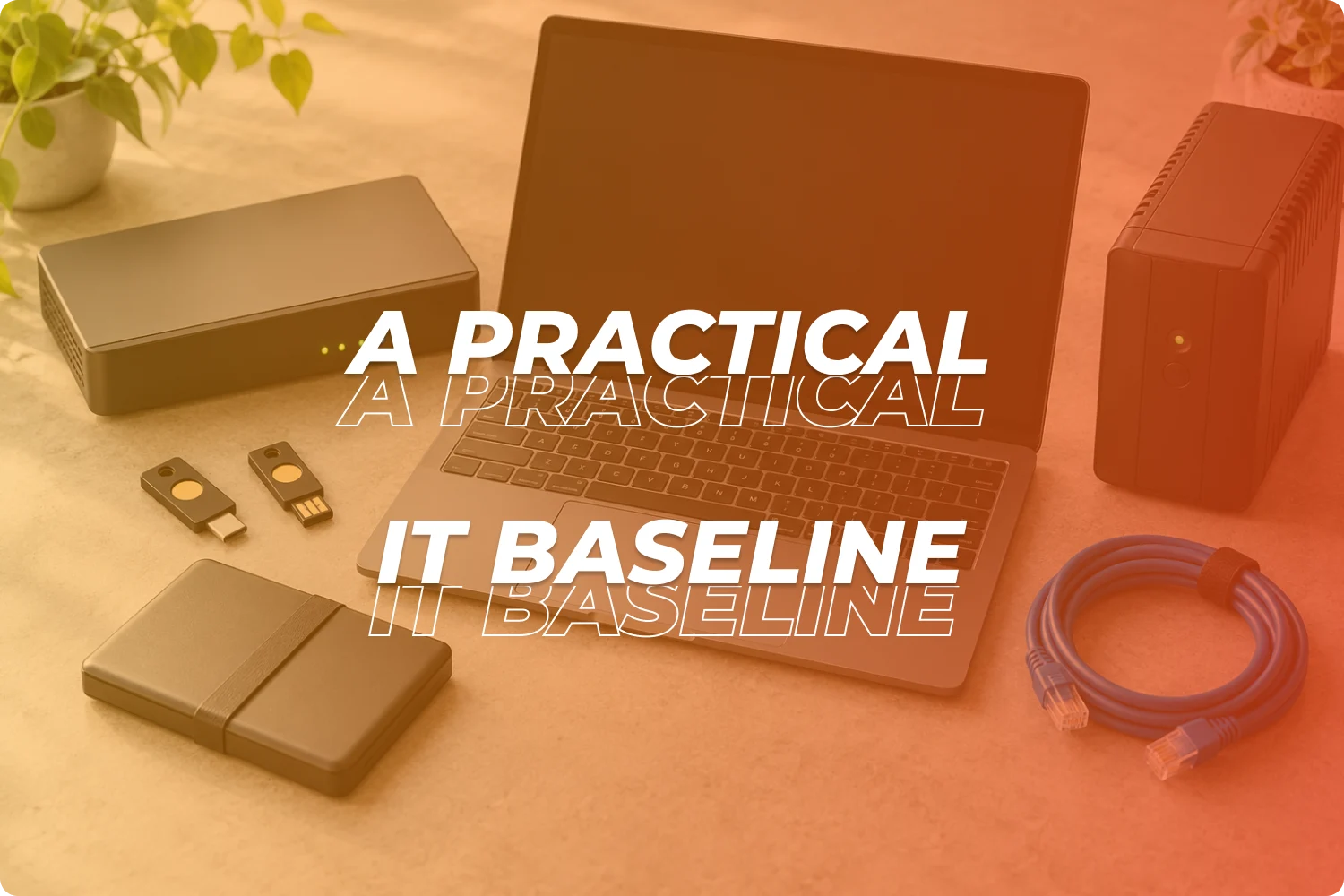
What Does a Practical IT Baseline Look Like for a Small Team?
A five-person office does not need an enterprise security stack on day one. It does need a consistent baseline, and it needs someone clearly responsible for keeping it in place. The table sets out a proportionate starting point.
| Area | Essential for a small office |
| Endpoints | Centrally managed laptops, supported operating systems, disk encryption, endpoint protection or detection and response, screen lock, controlled local administrator rights. |
| Identity | Named accounts, MFA, separate administrator identities, role-based groups, joiner, mover and leaver procedures. |
| Anti-phishing and impersonation protection, domain authentication, alerts for forwarding rules, an easy way for staff to report suspicious messages. | |
| Collaboration | Managed Microsoft 365 or a comparable business platform, restricted external sharing, logged guest access. |
| Network | Business-grade firewall, protected Wi-Fi, a separate guest network, secured administrative interfaces. |
| Mobile | PIN or biometric enforcement, encryption, remote lock and wipe, managed business apps where proportionate. |
| Patching | Automated updates for devices and applications, with tracking of failed or high-risk patches. |
| Backups | Independent backup of critical cloud and local data, encrypted storage, tested recovery. |
| Monitoring | Central collection of endpoint, identity and email alerts with a named responder. |
| Inventory and documentation | A list of users, devices, applications, cloud services, vendors and data stores, plus a network diagram and recovery procedures. |
Microsoft 365 deserves special attention
Many family offices run on Microsoft 365, and a subscription does not secure itself. The protection comes from how it is configured, which is why a default Microsoft 365 setup should not be treated as secure.
A managed baseline normally includes MFA and conditional access (rules that decide when a sign-in is allowed), blocking of legacy sign-in methods, restricted external sharing, alerts for mailbox forwarding, audit logging with enough retention, control over third-party apps that request access, impersonation protection, separate cloud-only emergency accounts, and a regular review of dormant users, guests and administrator roles. Backup of Microsoft 365 data is a separate decision: it is worth confirming that deleted or encrypted mail and files can be recovered independently of the platform. Our guide to cybersecurity for financial services firms in Hong Kong covers how these controls map to the expectations of licensed firms, and the same configuration principles apply to a family office, whether or not it is regulated.
Scenario: A principal traveling internationally
A principal flies from Singapore to Europe for two weeks. She carries a laptop, a phone and a tablet. She will use hotel Wi-Fi, an airport lounge and a rented car with a charging port. On day three, an urgent request arrives by email while she is jet-lagged.
Risks: an unattended laptop, a fake hotel Wi-Fi network, a shared charging port, a lost phone that holds the banking authenticator app, and a distracted decision.
Controls that help: managed, encrypted devices with remote wipe; trusted mobile connectivity instead of open Wi-Fi; carrying only the data the trip needs; a temporary travel device for higher-risk destinations; a second way to reach the office if the phone is lost; and a firm rule that payment instructions received while traveling need extra verification.
Business value: a lost bag is more likely to be an inconvenience than a data breach, and the moments when a principal is least able to scrutinize a request are the moments the process helps most.
Essential versus advanced controls
As assets, transaction volumes, travel and external connections grow, higher-risk controls become easier to justify: 24/7 managed detection and response, privileged access management, data-loss prevention, network segmentation for high-value systems, hardware security keys for every sensitive user, dedicated travel devices, external attack-surface monitoring, penetration testing and fraud simulations. The decision should follow risk, not size. An office moving substantial funds every week may justify stronger identity and monitoring controls than a much larger business with little at stake.
Whoever runs the baseline should also keep a vendor register: what each supplier does, what data and systems it can reach, who its subcontractors are, where it hosts data, how it authenticates, when the contract ends and what happens to the data afterward. A vendor’s compliance certificate is no substitute for checking the access that vendor actually has.
How Can a Family Office Keep Operating When Systems or People Are Unavailable?
Business continuity is the ability to keep critical work going through a disruption. Disaster recovery is the narrower task of restoring technology afterward. For a family office, disruption does not have to be dramatic. It can be an email compromise that makes the inbox untrustworthy, a cloud misconfiguration that locks a document library, a lost phone that holds banking approvals, or the single employee who knows the payment process being out sick.
Our guide to why your IT strategy needs business continuity planning covers the general method. Here we focus on what matters for a small office.
Start with what must keep working
A business impact analysis is a structured way to ask which processes matter most and what happens if they stop. The NIST contingency planning guide is a widely used reference for the method. Two measures come out of it:
- Recovery time objective (RTO): how long a process can be unavailable before the impact becomes unacceptable.
- Recovery point objective (RPO): how much recent data you can afford to lose, expressed as time (for example, “no more than four hours of work”).
The figures below are illustrative examples only. They are not regulatory requirements, and the right values come from your own analysis. Faster recovery and less data loss cost more.
| Process | Example RTO | Example RPO | Continuity method |
| Urgent banking and treasury | 2 to 4 hours | Near real time | Secondary authorized users, bank contact sheet, offline approval procedure |
| Email and communications | 4 hours | 1 hour | Alternative secure channel, clean emergency devices |
| Portfolio and investment records | Same business day | 4 hours | Independent backup or export, administrator recovery process |
| Legal, trust and ownership documents | 24 hours | 24 hours | Encrypted emergency archive with tightly controlled access |
| Ordinary administration | 2 business days | 24 hours | Cloud recovery and documented manual workarounds |
Backups that survive an attack
A backup you have never restored is a hope, not a control. A credible backup program should be able to answer: What is backed up, and how often? Is cloud data included? Can an administrator, or an attacker using an administrator’s account, delete the backups? Are copies encrypted, and is at least one isolated or immutable (unchangeable once written)? Who can restore? When was the last successful restore test, and how long did it take? Many offices test restores quarterly for critical data as a starting point, which is a suggestion rather than a rule.
Key-person risk
A small office should not depend on one employee or one engineer knowing the global administrator credentials, how banking authentication is recovered, where backups live, which vendor supports which system, how to contact principals in an emergency, how to run urgent payments or how to invoke cyber insurance. The fix is documentation that survives staff changes, with credentials held in a secure password system rather than in plain-text files. Our article on IT documentation standards that survive staff turnover sets out how to build and maintain that knowledge base.
Scenario: A critical deadline when the finance lead and the system are both unavailable
A family office must fund a capital call from a private equity fund by 4 p.m. on Thursday. The finance manager, who normally prepares the payment, is unwell. That morning, a software update leaves the portfolio system unavailable. The CFO is on a flight and the bank requires two approvers.
Without preparation: the team scrambles to find login details, guess at the approval process and phone the bank without knowing who to ask for. The deadline is missed, with a financial penalty and a damaged relationship with the fund.
With preparation: a second authorized user is already registered with the bank, the capital call documents are in a recoverable archive, the payment procedure is written down, the bank’s fraud and operations contacts are on a verified contact sheet, and the IT provider has a documented way to restore the portfolio system or work around it.
Business value: the office is far better placed to meet its obligations without improvising under pressure, and nobody has to bypass payment controls to save the day.
Playbooks and rehearsals
At a minimum, prepare short written playbooks for suspected account compromise, a fraudulent or misdirected payment, a lost or stolen device, ransomware, accidental disclosure of sensitive data, a cloud or internet outage, a compromised adviser, loss of the main communication channel, and the unavailability of a key employee. Each should say who decides, who calls the banks and advisers, who preserves evidence, who speaks to affected people and who judges whether anyone must be formally notified. A tabletop exercise, which is a talk-through of a scenario around a table, once or twice a year is usually enough to find the gaps.
Which Rules Apply in Singapore and Hong Kong?
This section is an overview for IT and operations managers, not legal advice. The practical message is that regulation depends on what the entity is and does, so legal requirements and good practice must be kept separate. Many controls in this guide are best practice for any family office, even where no regulator requires them.
| Requirement or guidance | SFO without a license | Licensed entity in the group | MFO |
| General personal data law | Relevant when personal data is handled | Relevant | Relevant |
| MAS or SFC technology risk requirements | Not automatically applicable | May apply, depending on license and activity | More likely if it carries on regulated activities |
| Financial-sector outsourcing expectations | Useful as best practice | Potentially applicable | Potentially applicable |
| Critical infrastructure laws | Unlikely without designation | Not automatic | Not automatic |
| Security best practice | Advisable given the actual risk | Advisable and may support compliance | Advisable and may support compliance |
Singapore
- Licensing: The revised SFO framework took effect on June 15, 2026. MAS explains that qualifying SFOs are exempt from SFA licensing but must meet conditions, including notifying MAS of commencement, maintaining accounts with MAS-licensed banks and submitting annual returns. New SFOs must file their notice within 14 days of starting business, and annual returns are due within four months of the financial year-end. Existing SFOs have until June 15, 2027 to comply, so check the MAS FAQs for the full list of conditions. This is a regulatory filing and conduct framework, not a technology standard, but it means an SFO now has a formal relationship with MAS. If a family office group includes a licensed fund manager, trust company or other regulated entity, that entity may be subject to MAS technology risk, outsourcing and business continuity expectations. Those apply to the regulated entity, not automatically to the whole group.
- Personal data: The Personal Data Protection Act (PDPA) applies to organizations that handle personal data, regardless of whether they are MAS-licensed. It includes a mandatory breach notification duty. A breach is notifiable if it is likely to result in significant harm to affected individuals or is of significant scale (generally 500 or more individuals). An organization should complete its assessment of a suspected breach within 30 calendar days, and must notify the Personal Data Protection Commission (PDPC) as soon as practicable and no later than three calendar days after it determines the breach is notifiable. The PDPC’s guide on managing and notifying data breaches sets out the qualifying circumstances, and its data breach reporting page explains the notification process.
- Cybersecurity law: Singapore’s Cybersecurity Act is aimed at designated critical information infrastructure owners and certain other designated entities. Investing in or banking with financial institutions does not bring a family office within its scope.
Hong Kong
- Licensing: Securities regulation is activity-based. The SFC’s family office FAQs say a license is needed only where three factors are all present: a regulated activity, carried on as a business, in Hong Kong. A genuine single family office that is not run as a business, for example one that receives no income beyond reimbursement of its operating costs from the family, generally falls outside licensing. The SFC also says that sharing premises and administrative infrastructure does not by itself trigger a license, whereas sharing investment staff or the investment process between families can start to look like a multi-family office. An MFO is judged by the same three factors, and licensing does not depend on whether clients are family members. Licensed entities should look to SFC expectations on internal controls, remote access and business email compromise.
- Personal data: The Personal Data (Privacy) Ordinance requires data users to take practicable steps to protect personal data against unauthorized or accidental access, loss or misuse. Using a cloud or IT provider does not transfer that responsibility. Unlike Singapore, Hong Kong currently has no general statutory obligation under the PDPO to report a data breach. The Privacy Commissioner for Personal Data (PCPD) nonetheless recommends notifying the PCPD and affected individuals as soon as practicable, particularly where there is a real risk of harm. A written incident plan that decides in advance who assesses and who notifies is the sensible response.
- Critical infrastructure: The Protection of Critical Infrastructures (Computer Systems) Ordinance came into operation on January 1, 2026. It imposes obligations on designated critical infrastructure operators and their critical computer systems. It does not apply to a family office merely because it invests in, or banks with, financial institutions.
Two practical points follow. First, family offices that use outside providers should expect to be asked how those providers are controlled, because regulators and counterparties increasingly do. Second, a family office that is not regulated can still benefit from borrowing the standards that regulated firms must meet. They are tested, documented and widely understood.
Running one family office across Singapore and Hong Kong
Many family offices have people, entities or advisers in both cities. That brings legal and practical questions that a single-city office does not face:
- Two data protection laws. The PDPA and the PDPO can both be relevant, depending on where personal data is collected, held and used. Singapore’s PDPA also has rules on transferring personal data overseas, so map which records move between offices and which providers host them.
- One identity and policy set. Running both offices from one well-managed Microsoft 365 or equivalent environment, with the same access rules, MFA and device standards, is usually safer than two setups that drift apart.
- The same payment rules everywhere. Approval limits, callback procedures and approvers should not change depending on which office receives an instruction. Time-zone gaps and differing public holidays should be planned for, not discovered on a deadline day.
- Local banking access. Bank tokens, authorized signatories and approval apps are often tied to a jurisdiction. Continuity plans should cover each banking relationship separately.
- Support in both places. Remote support covers most issues, but someone should be able to attend in person in each city when a device fails or an office move is planned.
Should a Family Office Use a Managed IT Provider?
For many small offices, a managed IT provider is the realistic way to get consistent patching, monitoring, backup administration, user onboarding and out-of-hours cover without hiring a full internal team. It also reduces key-person risk, since knowledge and responsibility sit with a team rather than one individual.
FunctionEight, established in 2001, provides managed IT support in Singapore and IT services in Hong Kong, with engineers in both cities. Its managed IT agreements typically cover a service desk, proactive monitoring and patching, network and cloud management, Microsoft 365 administration, endpoint protection, multi-factor authentication, access control, and onboarding and offboarding of staff, with the exact scope agreed before work begins.
Who owns security when there is no IT department?
Whether or not an office uses a provider, someone inside the family office must own security decisions. In practice this is usually the COO, CFO or head of the office. That person does not need to be technical. Their job is to approve the risk register, decide which risks the office accepts, make sure exceptions have an owner and an end date, and report to the principals or family governance body at least once a year. A provider can advise and operate, but it cannot decide how much risk the family is willing to carry.
The trade-off: a provider is a privileged insider
Outsourcing does not transfer accountability, and it creates a new kind of risk. A provider’s engineers may hold the keys to email, backups and administrator roles, which makes the provider a high-trust supplier. Due diligence should therefore go beyond price and response times. Questions worth asking any provider include:
- How are staff screened, and what confidentiality obligations do they sign?
- Does each engineer use an individual account with phishing-resistant authentication, rather than shared credentials?
- Is privileged access granted only when needed, approved, and logged? Can we see the logs?
- How is support work separated from backup administration?
- How secure are the remote-support tools used to reach our devices?
- Which subcontractors and locations are involved?
- How quickly will we be told of an incident affecting our environment?
- What are the provider’s own backup and continuity arrangements?
- Who owns the documentation and the cloud tenant, and what happens to our data and credentials if the contract ends?
- What independent assurance or security assessment evidence can the provider share?
What the agreement and reviews should cover
A good agreement defines the systems and users in scope, service hours and priorities, security responsibilities, rules for administrator access, escalation contacts, backup and restoration duties, incident assistance, log availability, confidentiality, subcontractor controls, reporting and termination support. Reviews should look at more than ticket counts. Ask for patch status, unsupported devices, backup test results, privileged access, security events, external guests, open risks and planned changes. A quarterly service review is a common rhythm.
Be wary of any provider that claims specialist family office credentials, certifications or client lists it cannot substantiate. Ask for evidence, and judge fit by the quality of the controls and the answers to the questions above.
Family Office IT Security Checklist
The sequence below is an illustrative priority order, not a regulatory timetable. Adjust it to your size, structure and risk.
First 30 days: close the biggest gaps
- Name the executive who owns security decisions for the office.
- Inventory every user, device, application, cloud service and administrator account.
- Turn on MFA for email, cloud storage, remote access and financial platforms.
- Remove shared passwords and shared administrator accounts.
- Establish independent verification for new beneficiaries and changed payment details, and agree that no payment is approved on email, messaging, phone or video alone.
- Make sure laptops used for sensitive work are managed and encrypted, with endpoint protection and prompt critical patching.
- Disable dormant accounts and unnecessary external sharing.
- Confirm that critical Microsoft 365 data can be recovered independently.
- Write down bank fraud contacts and incident escalation numbers.
Next 90 days: build the structure
- Define roles, approval limits and separation of payment creation, approval and reconciliation.
- Create confidential and highly restricted document areas, with expiring links and named guest access.
- Introduce a joiner, mover and leaver process that covers advisers and contractors.
- Move principals, finance staff, assistants and administrators toward passkeys or security keys.
- Control mailbox forwarding and third-party cloud apps.
- Set rules for personal devices, travel and public Wi-Fi, and an approved-AI-tools policy.
- Complete a basic business impact analysis and set example RTOs and RPOs for banking, email, portfolio and documents.
- Start a vendor and data-processor register.
- Agree how instructions will be verified with private banks, custodians and key advisers.
- Separate personal family matters from office business in email and document storage.
Ongoing: keep it working
- Review privileged accounts monthly and guests and sensitive repositories quarterly (illustrative frequencies).
- Alert on suspicious sign-ins, MFA changes, new administrators and forwarding rules.
- Monitor failed backups and endpoint coverage, and test restores for critical data.
- Record exceptions with an owner and a remediation date.
- Report security posture to the COO, head of the family office or governing body.
- Train employees, assistants and principals with family-office scenarios, and run a payment-fraud exercise twice a year.
Annually: test and reassess
- Run a business continuity and incident response exercise.
- Review critical suppliers’ security and continuity arrangements.
- Review policies and data retention.
- Commission an independent configuration and access review, such as an IT security audit, where the risk justifies it.
- Revisit controls after any acquisition, restructure, office move or major personnel change, and after any material incident.
Talk to FunctionEight About Your Family Office’s IT
Family offices in Singapore and Hong Kong do not need to build an enterprise security team to get enterprise-grade discipline. They need clear controls, someone accountable for running them, and a plan for the day something goes wrong.
FunctionEight provides managed IT, cybersecurity, cloud management and IT support in Singapore and Hong Kong. If you would like to compare your current setup with the checklist above, a practical starting point is a review of identity and access, device and network security, backups and continuity. Our IT security audit service looks at areas such as access controls, network security and system configuration. Contact FunctionEight to discuss your family office’s IT security, confidentiality and continuity requirements with our team in either city.